Revvy Studio
The pit wall for the driver’s team — the car live, a coach afterwards, and the progress across drives
What is Revvy Studio
Revvy Studio is the team’s side of Revvy: a web app for the friend on the pit wall, served by the racing PC — scan a code and it opens, no download. Live follows the car during the drive, Coach replays and explains it afterwards, History turns the evening into progress. Studio follows the game: racing or rally, the same screens fill with the right content.
- LiveDuring the drive
Where the car is, how it is, and what the driver and Revvy are saying — no video.
- L1WaitingRally: At the start line
- L2Drive
- L3Car
- L4TimingRally: Splits
- L5Talk
- L6Alert
- L7Finished
- CoachAfter the drive
Revvy’s review: the best lap, the moments that cost time as real frames, and what to try next.
- C1Review
- C2Moment
- C3Incident
- C4LapsRally: Runs
- HistoryAcross drives
Every drive of the evening — all, racing or rally — and what keeps coming back.
- H1Drives
- H2Progress
Waiting and Finished open CoachA drive card opens its reviewProgress opens one moment in Coach
The other half of Revvy.
The driver talks to the in-car Revvy; the team works in Studio. The two sides are always connected: the car’s data flows to Studio, the team’s radio flows back to the driver — the team never controls the driver’s Revvy.
- The driver’s side
In-car Revvy
The visor HUD and Revvy’s voice, in the helmet — for Racing and for Rally.
Built - The team’s side
Revvy Studio
The car live, the team radio and a coach after every drive, on a tablet or phone.
Final UI · in build
Car data flows to the teamThe team radio flows back to the driver, timed by the in-car Revvy
Facts for Revvy, calls for the team
One session, end to end.
A session is two people in one room — the driver in the rig and a friend on the pit wall — with Revvy between them. The journey follows all three from gearing up to the next goal; the lowest point is the incident, and that is where Revvy checks in first.
One session, three points of view
A driver in the headset, Revvy in the car and a friend on Studio, from gearing up to the next goal. Racing and rally share this journey; rally swaps laps for runs, and the pace notes own the stage.
Every screen, and how you get there
Live, Coach and History are one tap away from anywhere — the iPad’s top bar, the phone’s floating bar. Under each screen, where the eye goes first. Racing and rally share this map: Timing becomes Splits, and Laps becomes Runs.
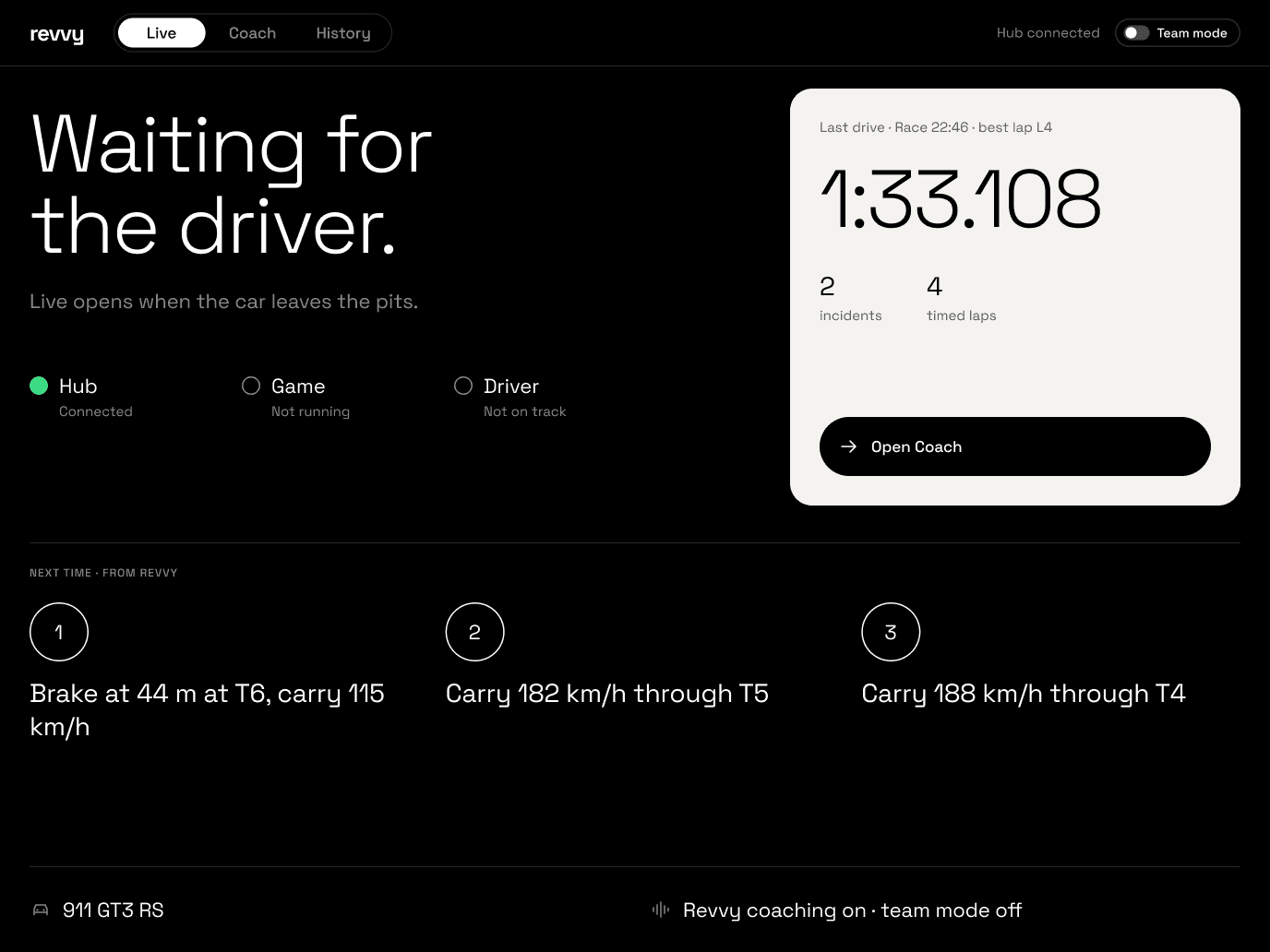 L1Waitinghub status · last drive
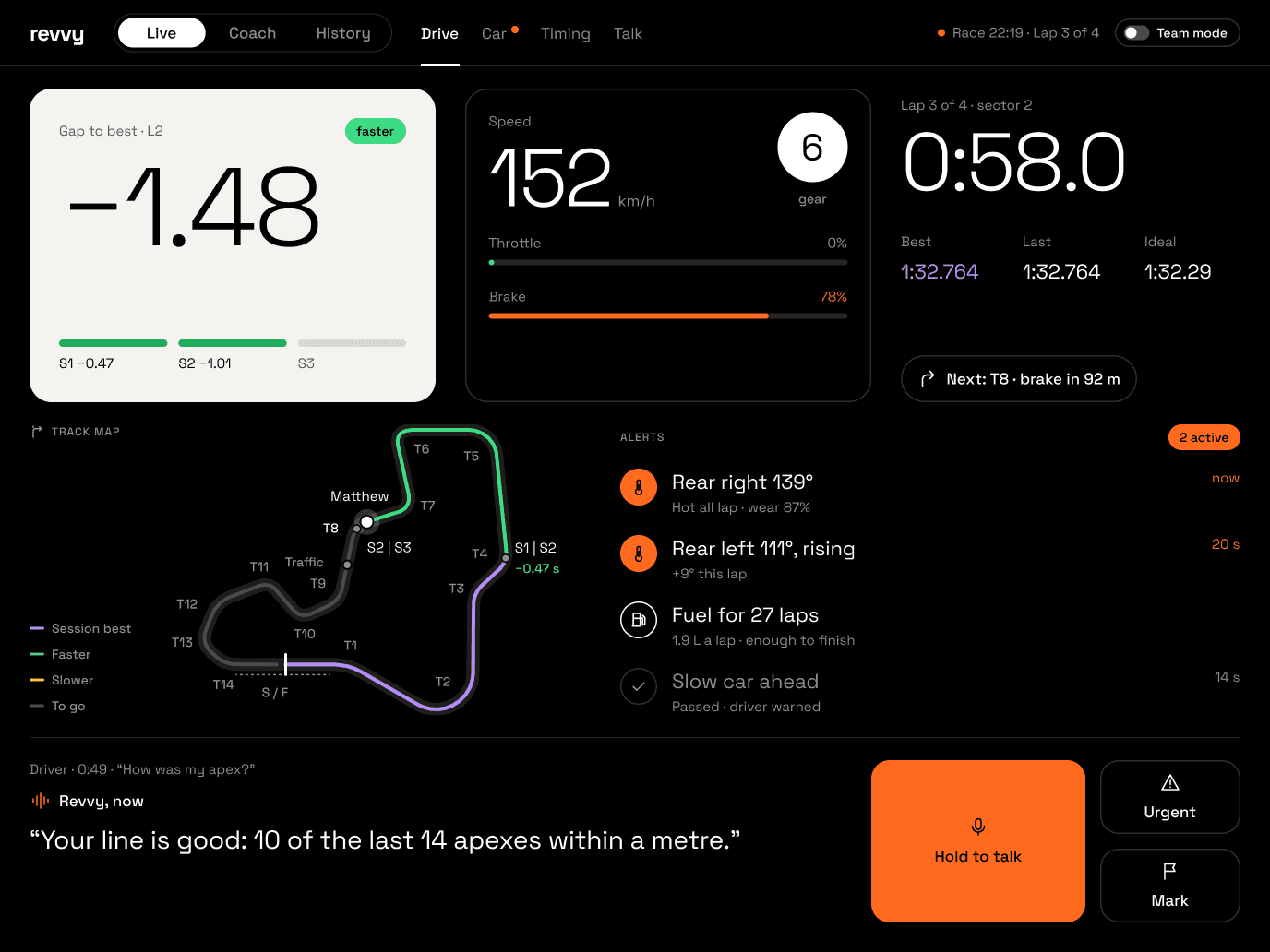 L2Drivegap to best
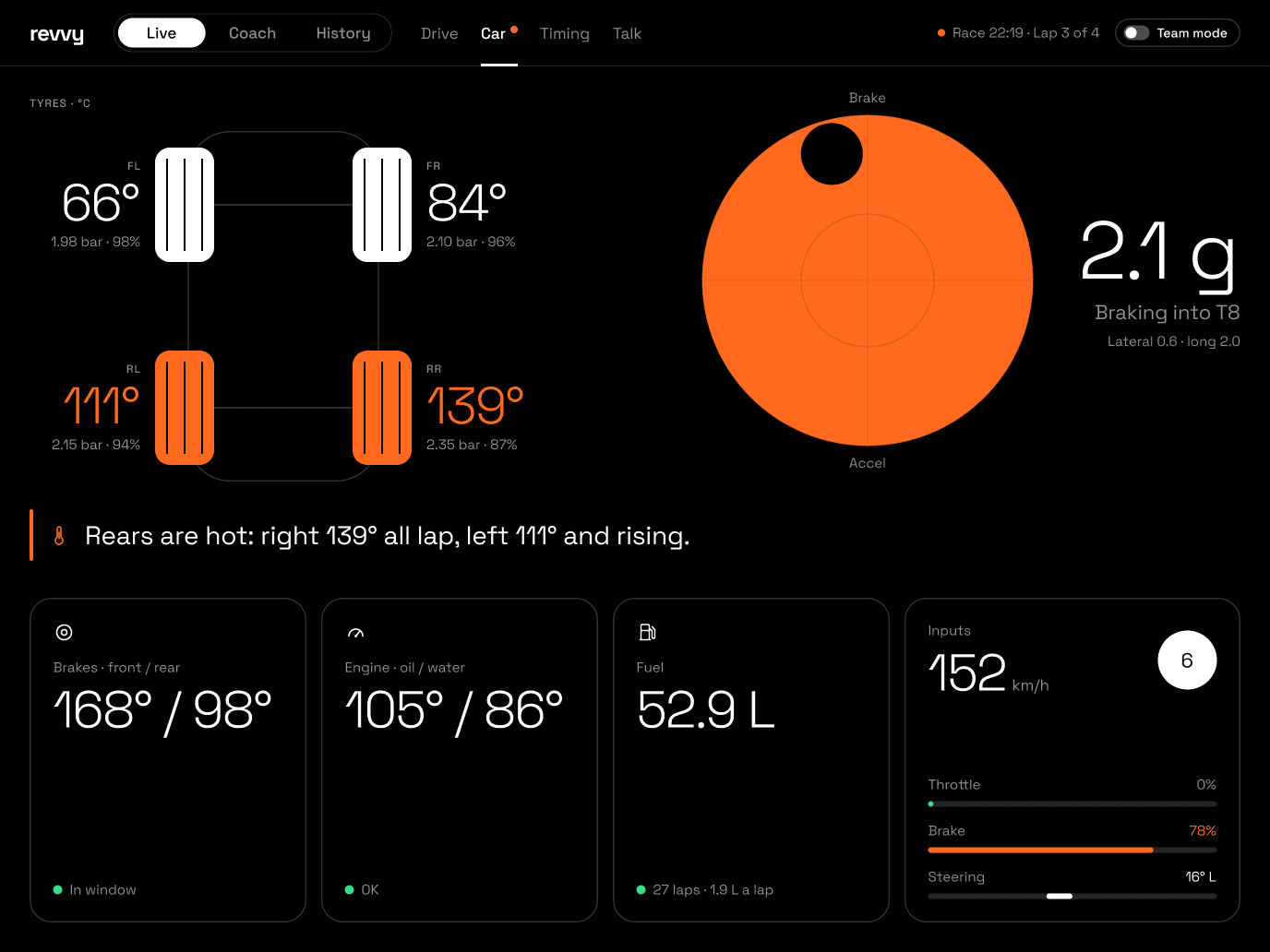 L3Cartyres + G
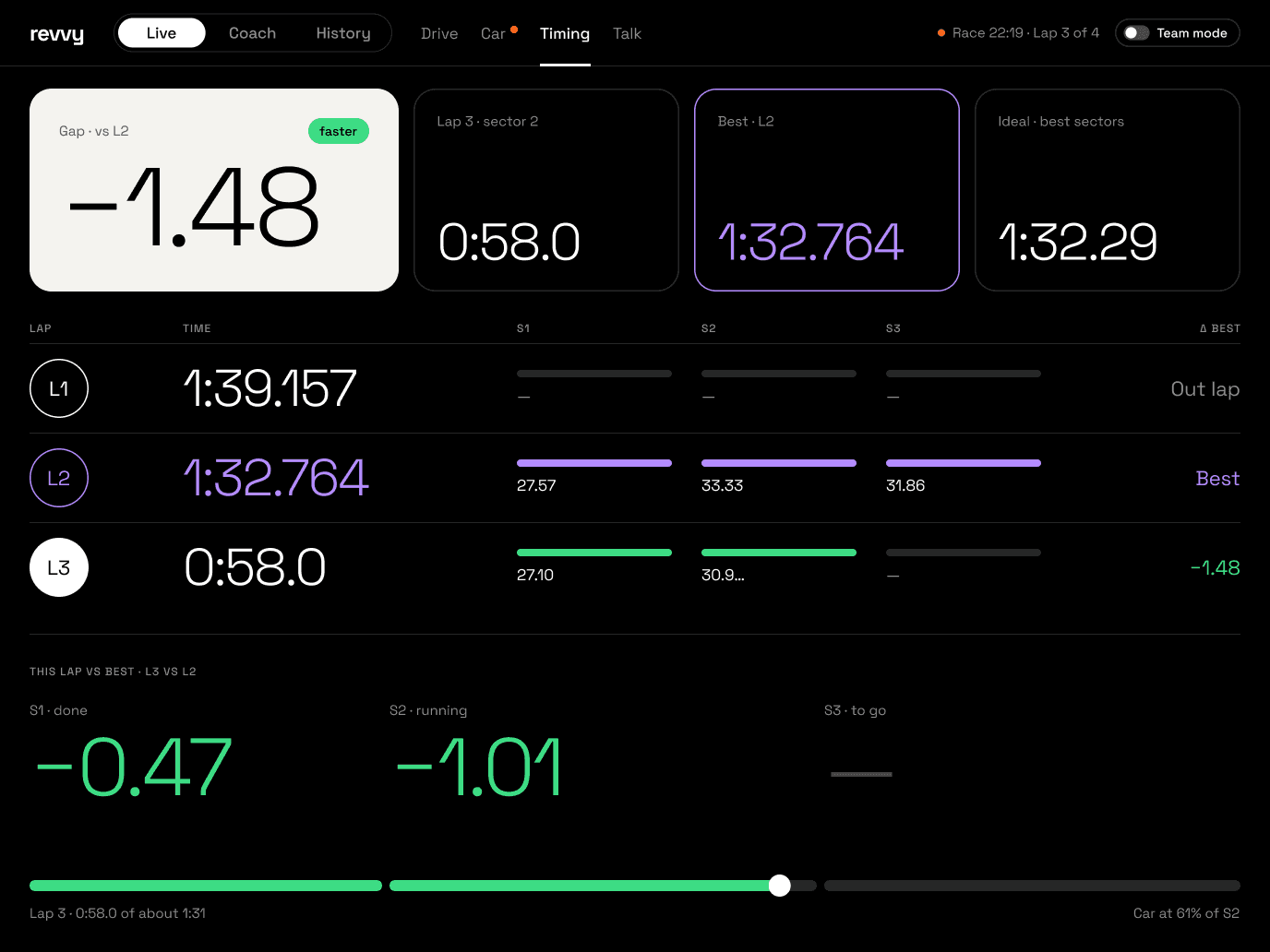 L4Timinglap table
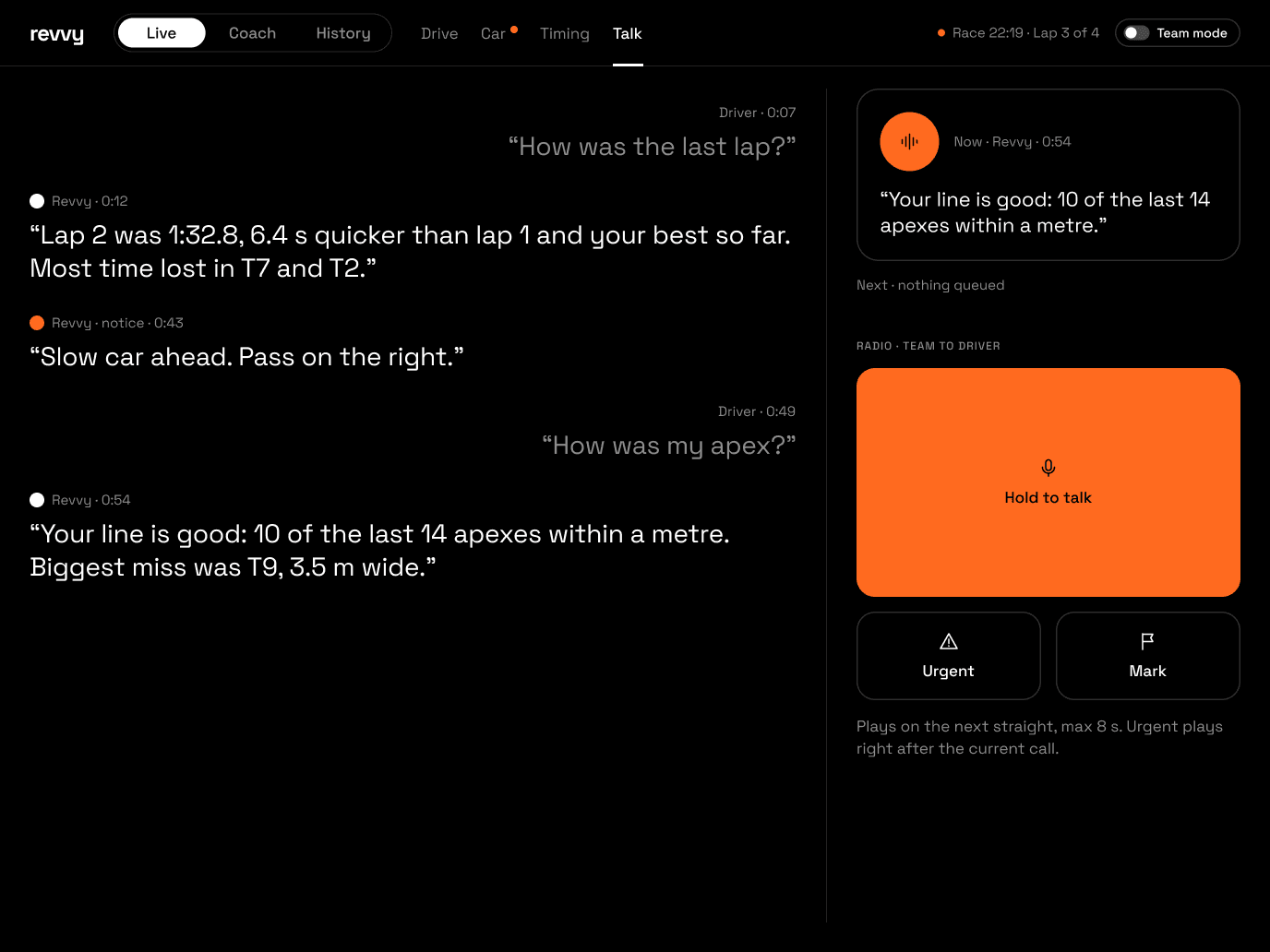 L5TalkRevvy, now
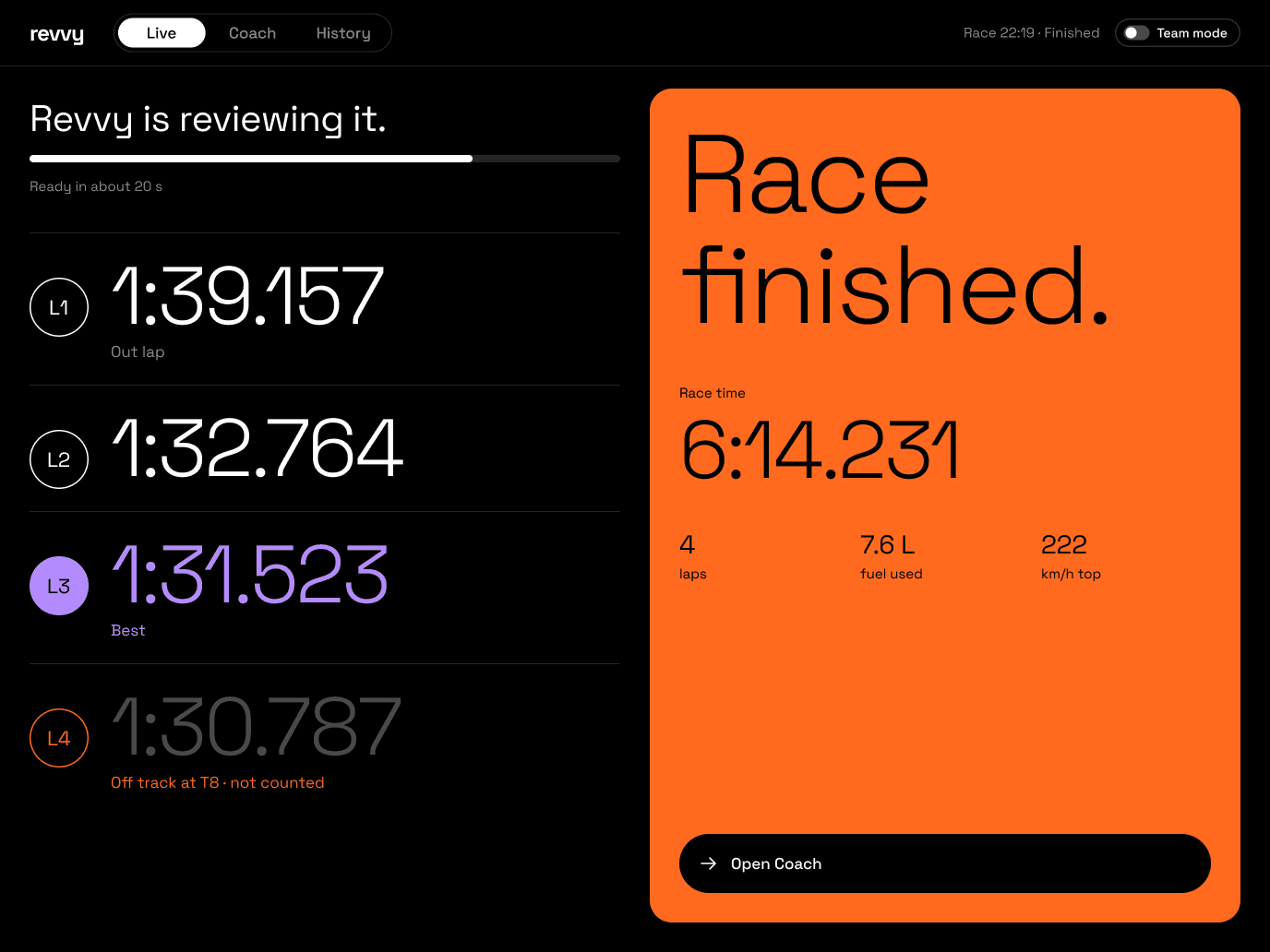 L7FinishedOpen Coach
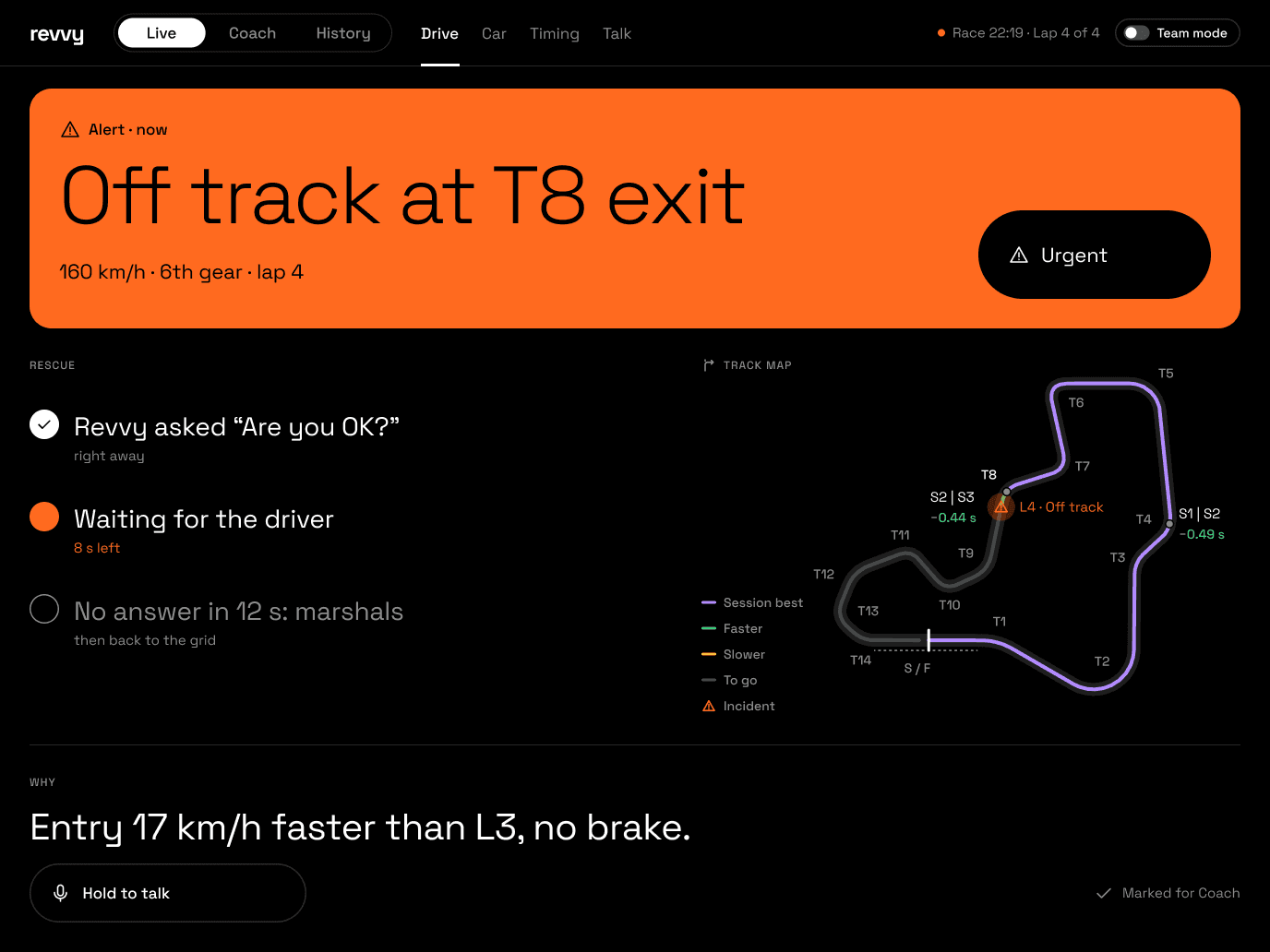 L6Alertwhat happened
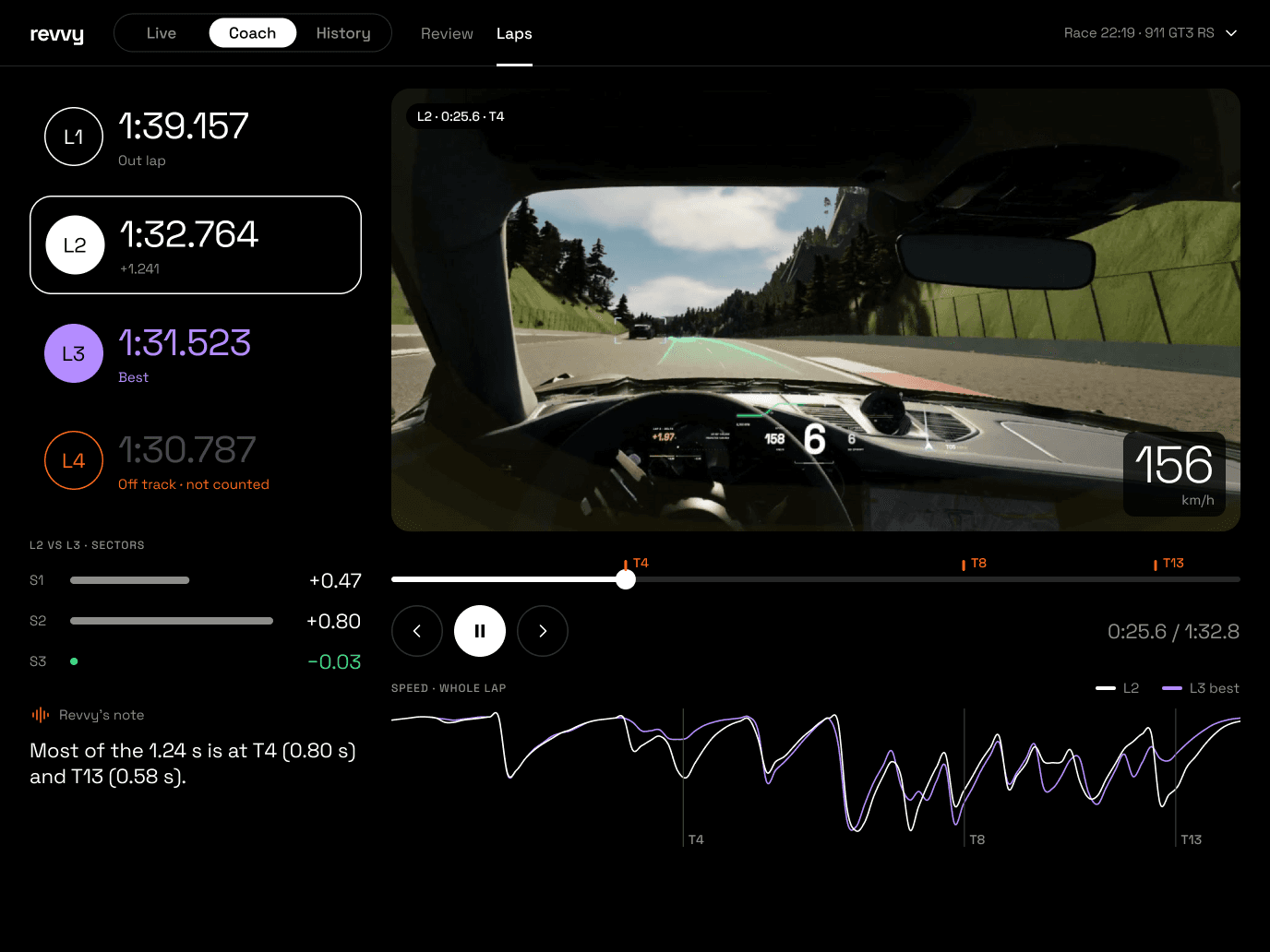 C4Lapsreplay + trace
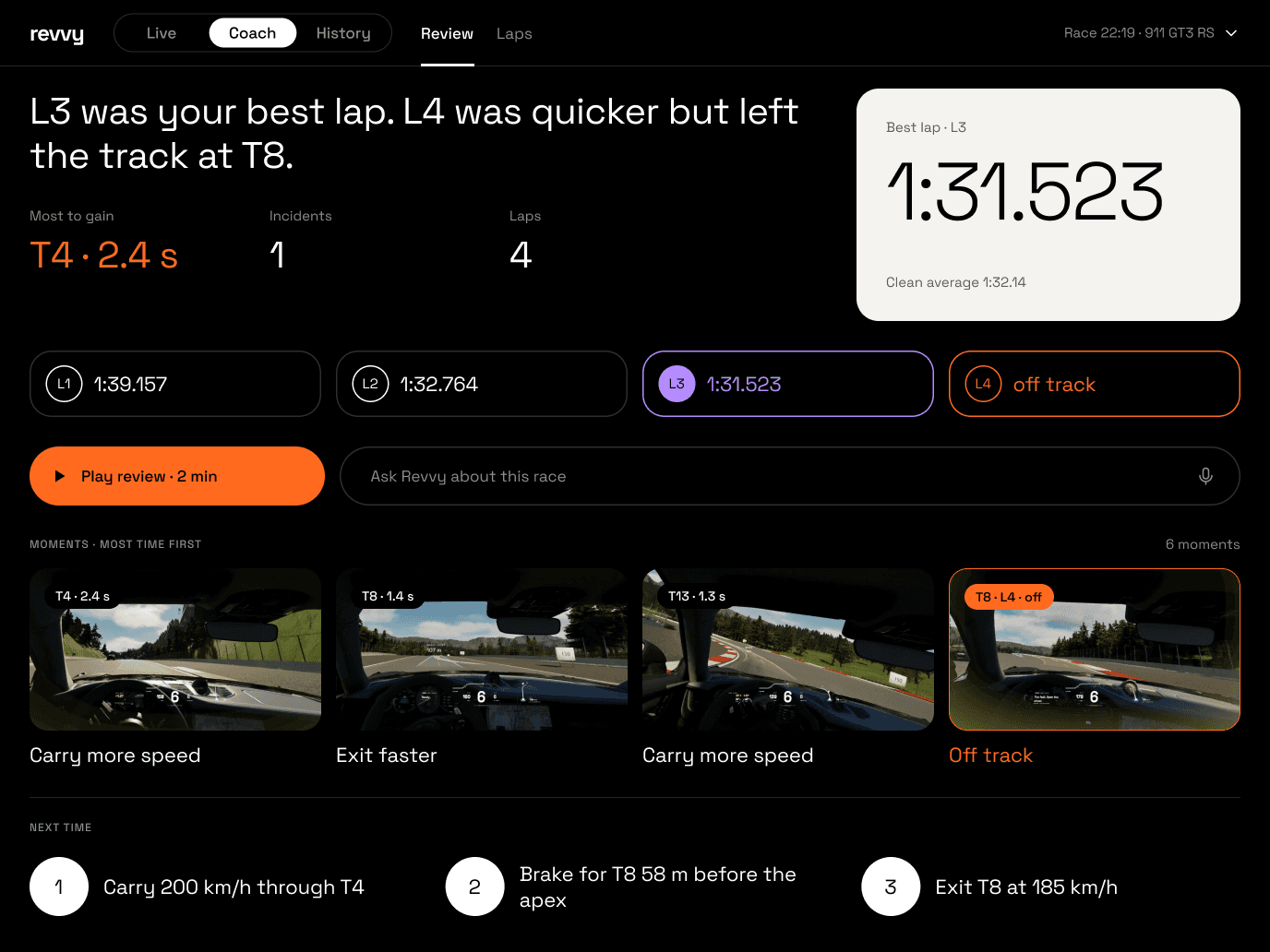 C1Reviewone-line verdict
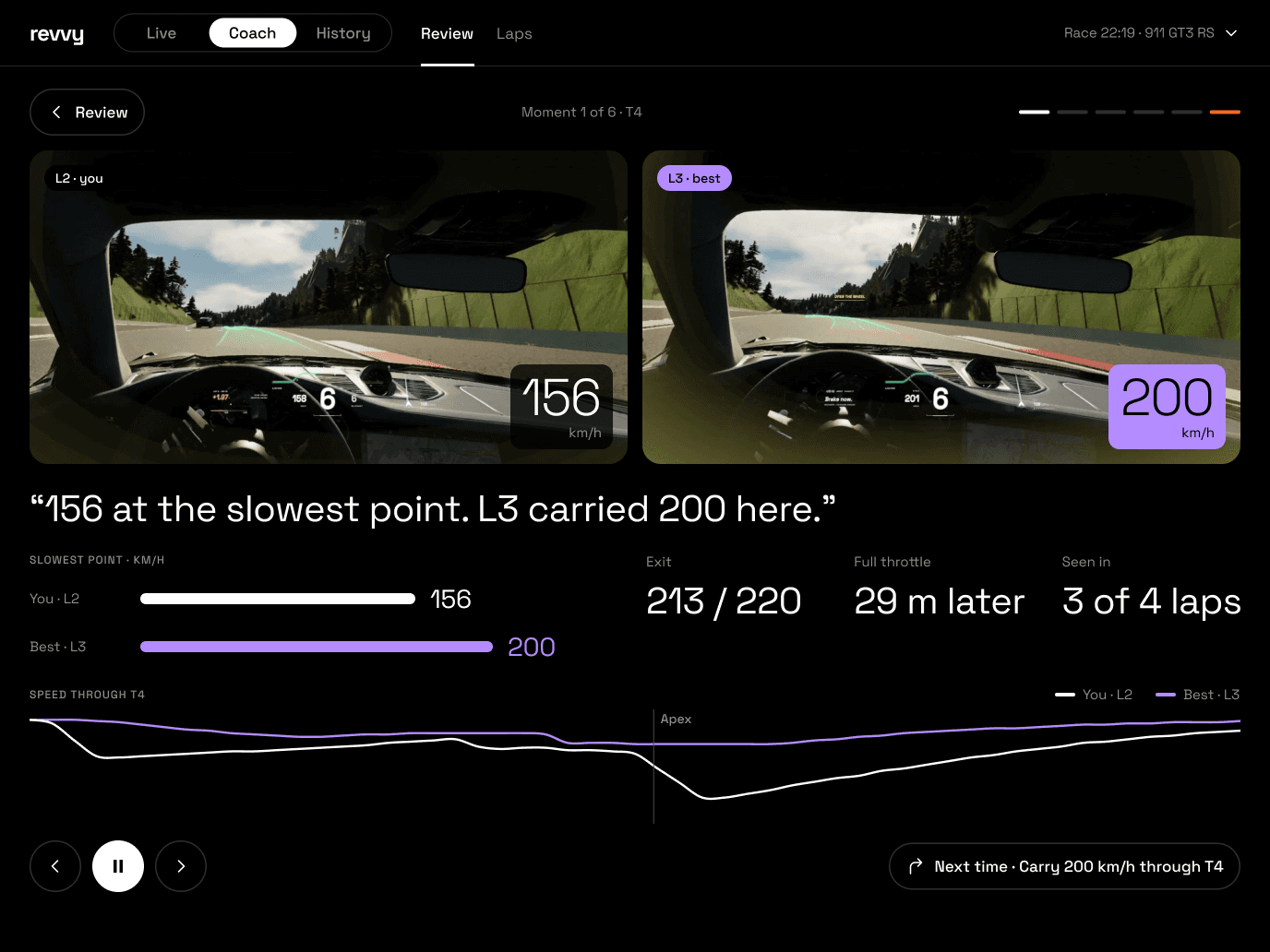 C2Momenttwo real frames
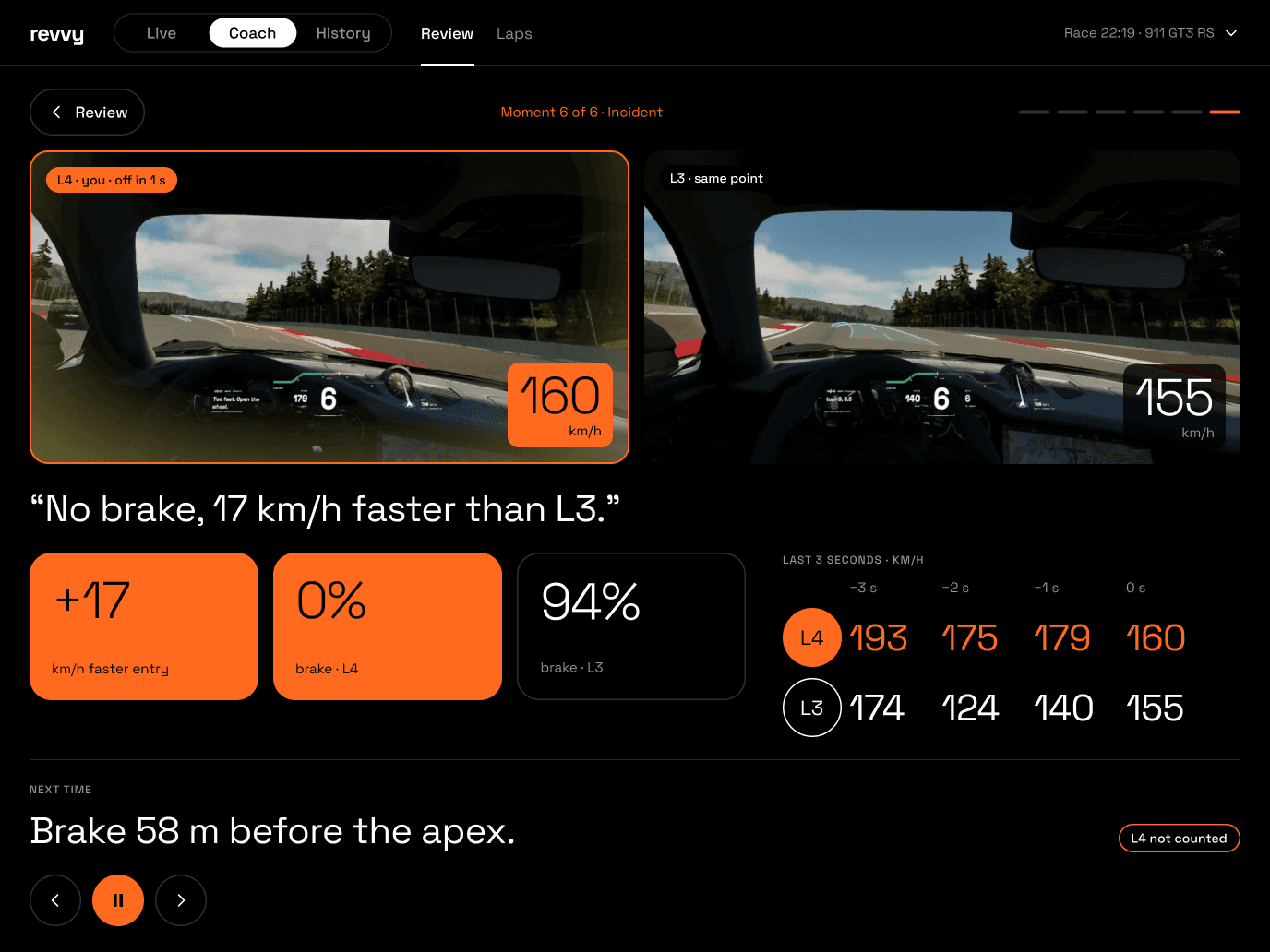 C3Incidentlast 3 seconds
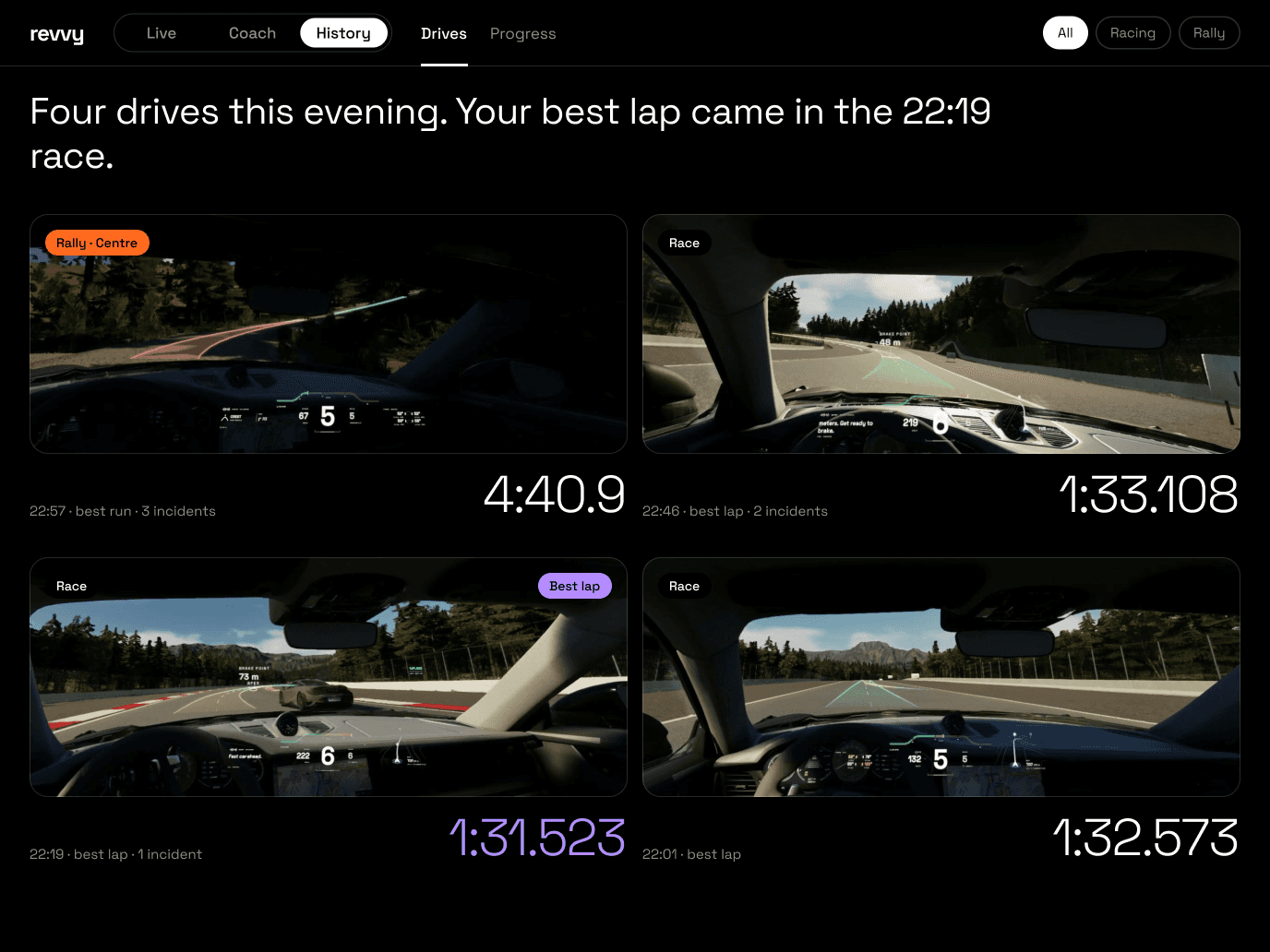 H1Drivesbest drive · All / Racing / Rally
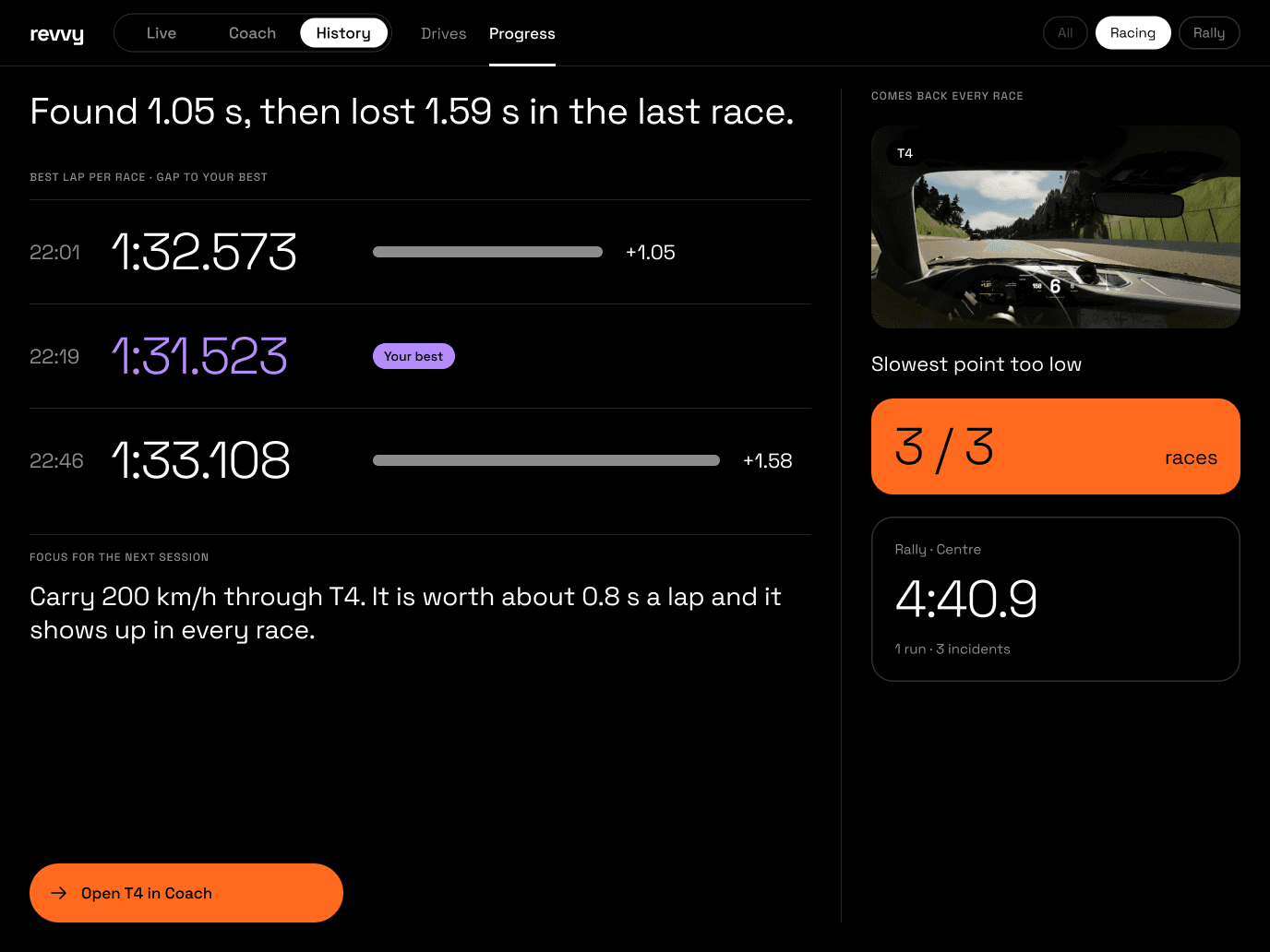 H2Progressthe trendleaves
pitschequered
flagserious alert · any tabcar moves onOpen CoachOpen Coach · last driveLapsmomentnextdrive cardOpen T4 in CoachProgress
H2Progressthe trendleaves
pitschequered
flagserious alert · any tabcar moves onOpen CoachOpen Coach · last driveLapsmomentnextdrive cardOpen T4 in CoachProgressLive · Coach · History one tap from anywherePlay review walks C1 → C2 → C3 in orderReview chip (phone: back row) returns to C1Coach context menu → drive pickerHistory filter: All · Racing · Rally · Progress dims AllRally: Timing → Splits · Laps → Runs · same positionsL6 takes over any Live tab; Urgent talks now
Four moments, three points of view
A friend joins from the sofa — no app, no account.
Studio opens from a QR on the PC. The radio stays off until team mode is on; then Revvy hands decisions to the team.
Before team mode: Hold to talk and Urgent are disabled; Mark worksEvery request through the tunnel needs pairingTeam mode off → Revvy makes the calls again
Revvy suggests, the team decides, the driver confirms.
Revvy owns facts and timing; the team owns decisions. The radio moves through its states: Holding → Sending → Queued → On air → Delivered.
Decision questions go to the team; safety calls still go straight to the driverNo answer in 10 s → “No word from the team. My call: …”
Safety first, then back to the start.
Revvy checks on the driver at once. The team sees the alert take over and can talk now, without waiting for a straight. The moment is marked for Coach.
Never says “simulated”Marshals stay 8 s while the car stands, then a black cut back to the start
From the chequered flag to the next goal.
Live ends on Finished, Revvy builds the review, Coach walks through it, History shows the trend — and the next session opens with the focus.
Every number comes from telemetry; Revvy explains itRally compares only runs on the same routeProgress dims All: laps and stage times do not compare
Watch the car, hear the conversation.
During the drive, Live shows where the car is, how it is, and what the driver and Revvy are saying — without video: the footage waits for Coach. Each screen leads with one thing to read first, and racing and rally share every position.
Seven, one focus each
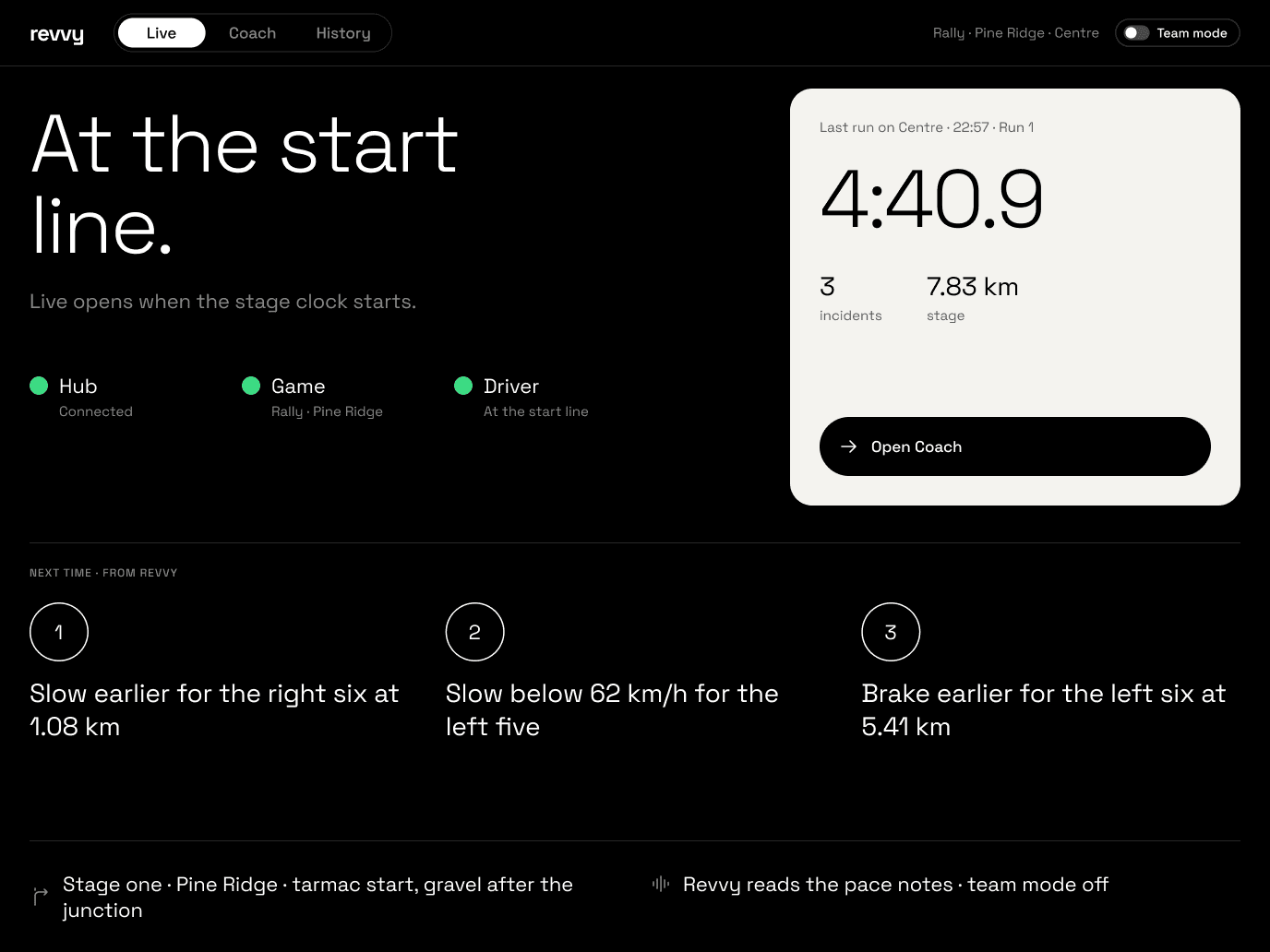
- 1Status“Waiting for the driver.” Hub, game and driver light up in turn; Live opens by itself when the car leaves the pits.
- 2Last driveThe last drive on the paper tile: best lap 1:33.108, 2 incidents, 4 timed laps — and Open Coach at its foot.
- 3Next timeThree things to try, from Revvy’s last review.
- 4Car and RevvyThe car, and whether Revvy coaches and the team is on the radio.
- 5Team modeTeam mode, on every Live screen. Off, Revvy makes every call and the radio stays closed; on, decisions go to the team and the radio opens — Revvy tells the driver “Team is on the radio.”
The same screens, one column
The pit wall in one hand
Live · Coach · History float at the bottom; the screen’s tabs sit under the lap.
- 1Lap, team mode and tabsLap 3 of 4 and the Team mode switch; then Drive, Car (with an alert dot), Timing, Talk.
- 2Gap and lapThe paper tile with the gap; the lap, the best and the speed beside it.
- 3Next turn and map“T8 · brake in 92 m”, then the track, its sectors coloured against the best.
- 4AlertsThe two that matter now.
- 5Talk rowHold to talk, Urgent and Mark, above the mode bar.
- 6TyresThe four tyres on the chassis; the hot rears in orange.
- 7Revvy’s read“Rears are hot: right 139° all lap, left 111° and rising.”
- 8G-forceThe disc and the reading: 2.1 g, braking into T8.
- 9SystemsBrakes, engine and fuel.
One voice at a time.
Revvy, the team and the driver share one channel: the driver’s ear. The team talks with one button; Revvy picks the moment — on a circuit by priority, on a rally stage after the pace notes.
The team turns the radio on
One switch on every Live tab, racing and rally. Off, Revvy decides and the radio stays closed; on, decisions go to the team and the radio opens. Turning it on asks once; turning it off is instant — held messages are cancelled, and Revvy tells the driver “Team is off the radio. I’ll make the calls.”
Ten states, buttons that never move
Six levels
A higher level waits for nobody below it; the driver’s own voice is never cut, except by danger.
- 1Danger“Contact.” · Team UrgentCuts in at once
- 2Timing“Brake now.” · pace notesAlways on time
- 3Driver’s question“Fronts 92, rears 88.”First sentence first
- 4Team radio“Box this lap.”Waits for a straight · rally: held to the finish
- 5Revvy notices“Tyres need attention.”Waits · may drop
- 6Coaching“Look through the apex.”Gives way first
Driver talking → everyone waits, except dangerOne voice at a time; Revvy yields at once
The notes own the stage
On a stage the co-driver’s voice comes first. Normal team radio is held to the finish; Urgent is for safety and plays after the current note; a stopped car opens the radio at once.
- Start lineRadio open
- “Dry to the forest, wet after 5 km.”
- Proposes a caution · water 5.0 km
- Driver accepts · Revvy adds it to the notes
- On stageHeld to finish
- Revvy reads every pace note
- Hold to talk → held to the finish
- Urgent → after this note: “Stop, car off at 5.2!”
- Car stoppedTalk now
- “Are you OK?” · OK or SOS
- Team talks right away · no waiting
- No answer in 12 s → marshals
- FinishHeld messages play
- “Stage complete. 4:40.9.”
- Held messages play in order
- Driver replies · radio open again
- Between stagesRadio open
- Splits · damage check · tyre plan
- Revvy suggests to the team: save the fronts
- Driver asks the team anything
Notes own the stageNormal radio waits for the finishUrgent is for safety onlyCar stopped → talk nowTeam proposes notes · driver accepts
Every lap, replayed and explained.
After the drive, Coach opens on Revvy’s review: the best lap, where the time went, and the moments that matter, as real frames from the recording. Play the review and Revvy talks it through in about two minutes, one moment after another.
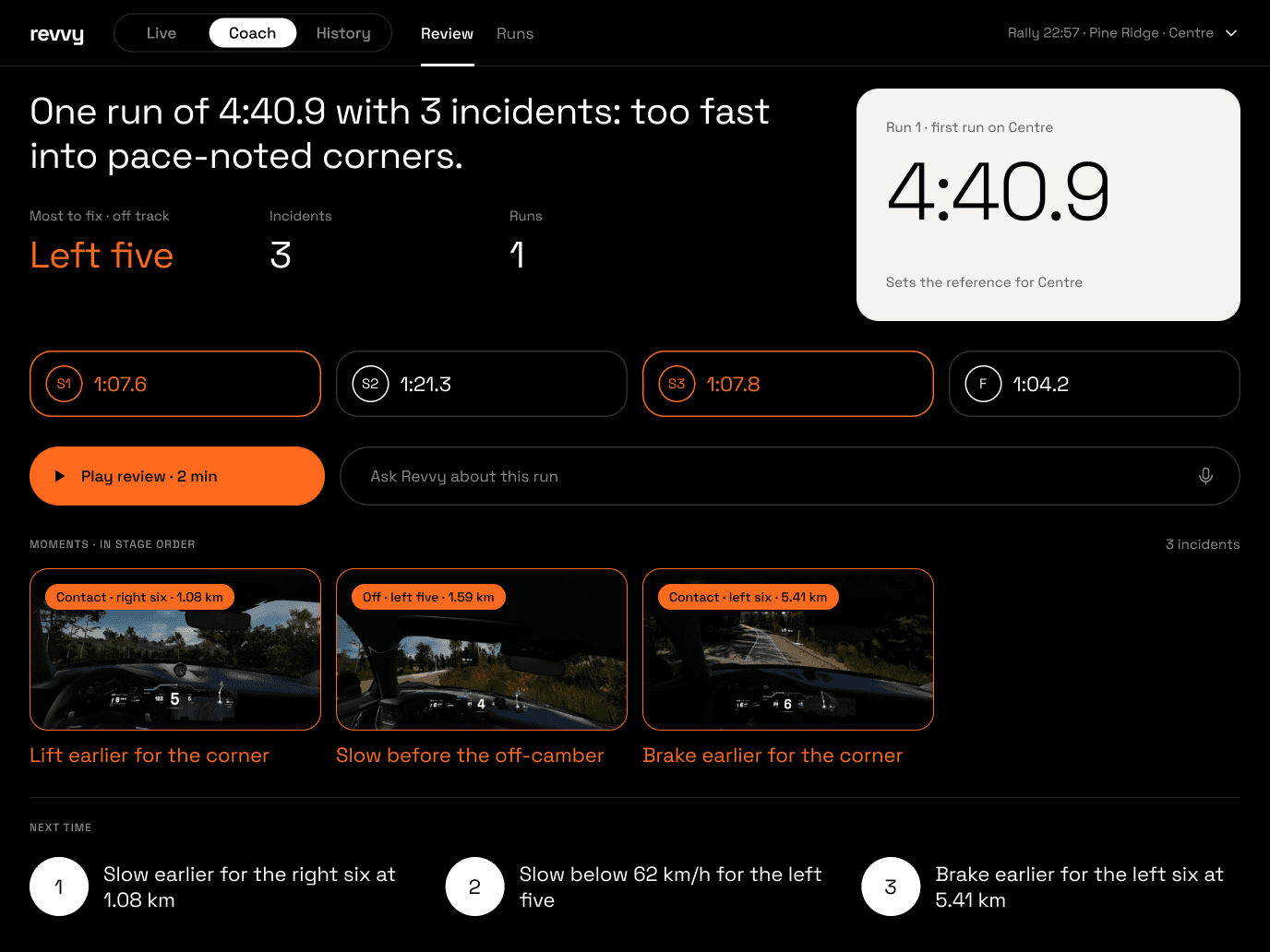
- 1The storyOne sentence first — “L3 was your best lap. L4 was quicker but left the track at T8.” — then the most to gain, incidents and laps.
- 2Paper tileThe best lap on paper, with the clean average under it.
- 3Laps · SplitsEvery lap as a tile, the full width: L3 purple for the best, L4 orange for the off. Tap one to open it in Laps.
- 4Play · AskPlay review: Revvy talks through the race in about two minutes. Or ask Revvy anything about it.
- 5MomentsThe moments, most time first, as real frames from the recording — the off framed in orange.
- 6Next timeThree things to try next time.
The review, then each moment
Coach in one column
- 1Race and tabsRace 22:19 · 911 GT3 RS — Review and Laps.
- 2Story and best lapOne sentence, then the best lap on paper.
- 3Most to gainT4 · 2.4 s — and Play review · 2 min.
- 4MomentsReal frames, most time first; the off in orange.
- 5MomentBack to Review · T4 · 1 of 6.
- 6Two clipsL2 (you) above L3 (the best), from the same metre.
- 7What happened“156 at the slowest point. L3 carried 200 here.” — and the numbers.
- 8ControlsPrevious, pause, next — and the next thing to try.
Every drive, and what keeps coming back.
History lists every drive of the evening — all of them, the races or the rally runs — and turns them into progress: the best lap of each race, or the speed before each incident on a stage, and the one pattern worth working on next.
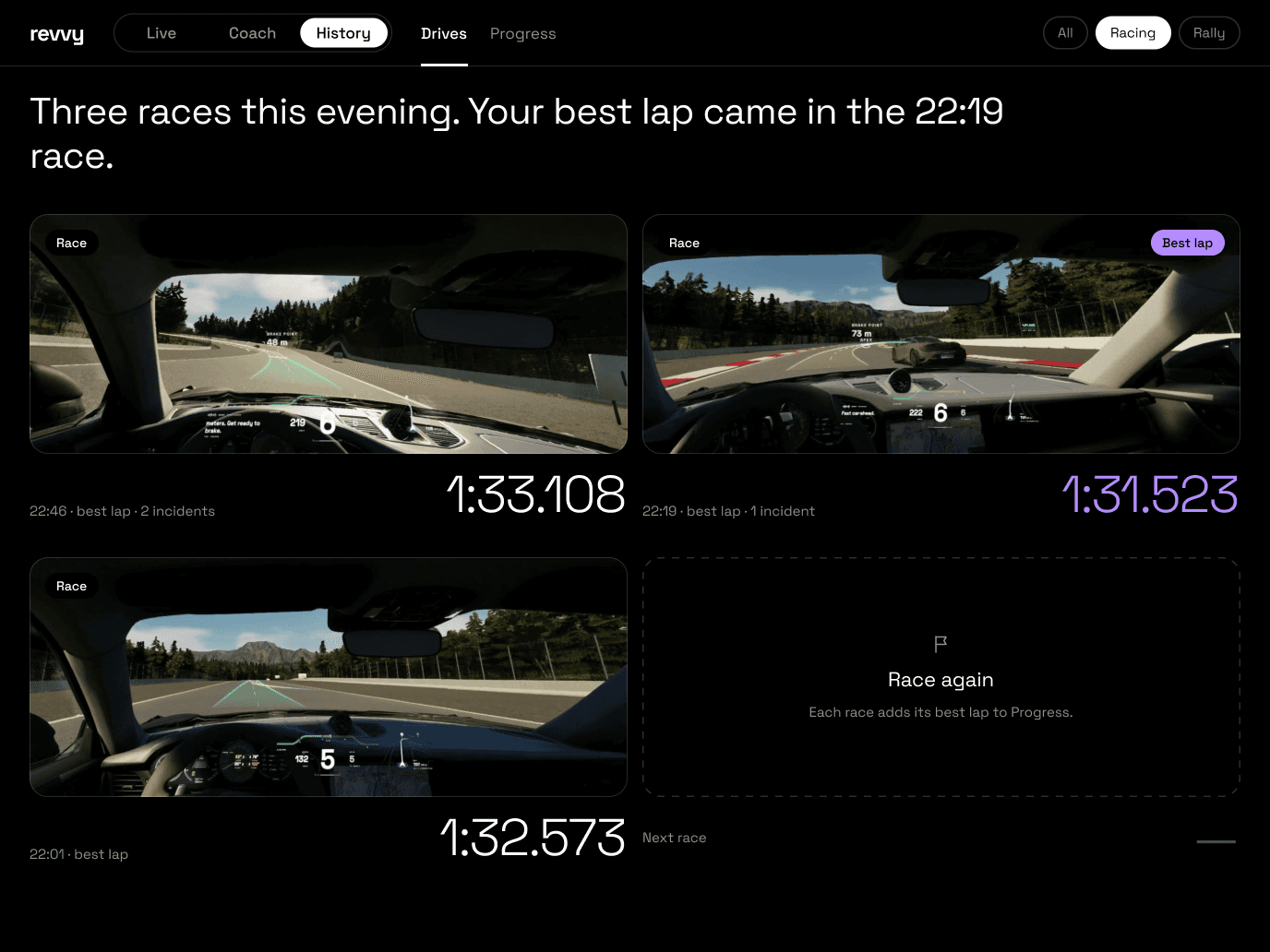
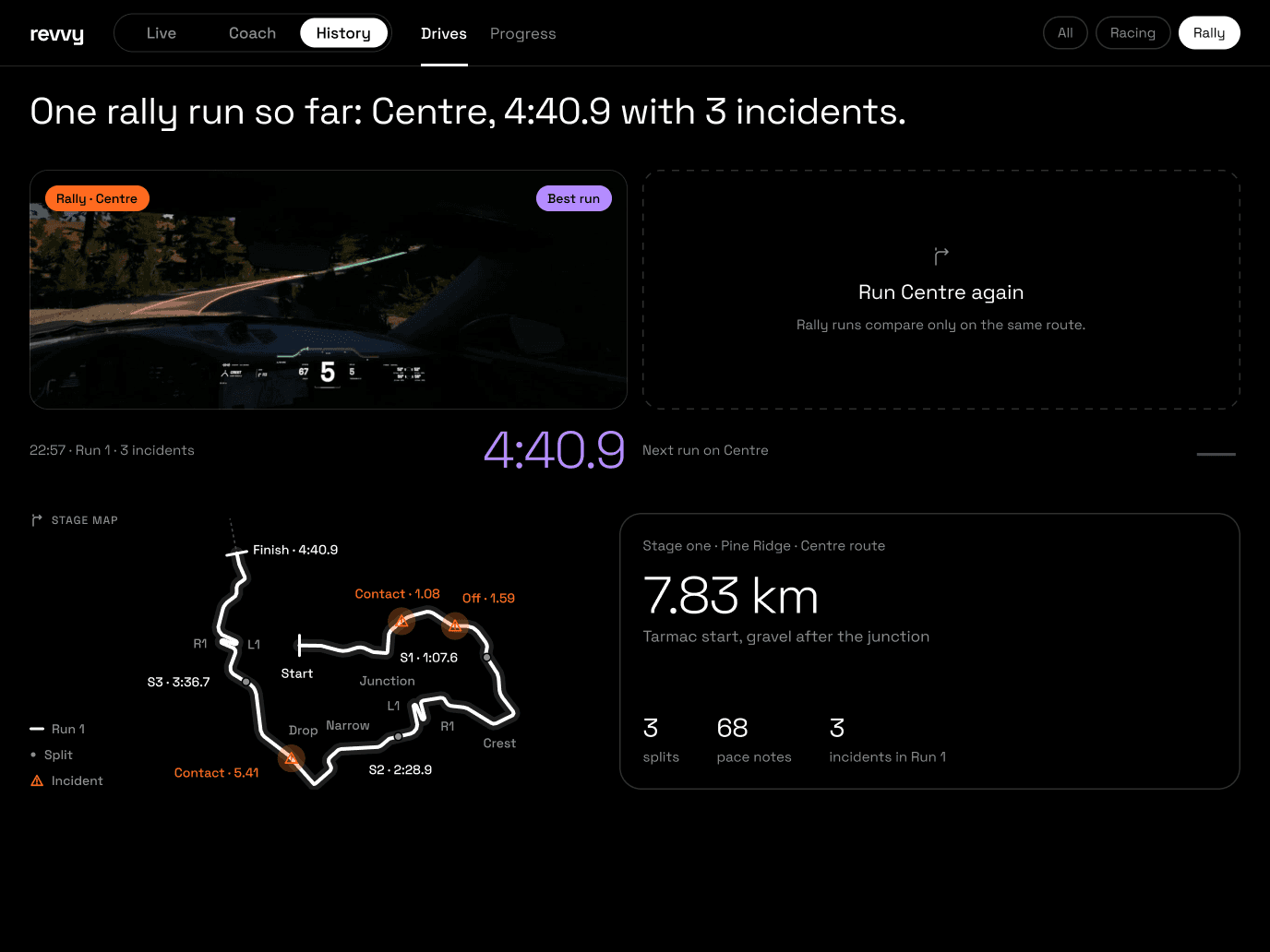
- 1SummaryOne sentence for the evening: “Four drives this evening. Your best lap came in the 22:19 race.”
- 2DrivesEvery drive, newest first, with a real frame from it — rally and races together, the best in purple.
- 3FilterAll · Racing · Rally: All lists every drive by time.
Drives and progress
History in one column
- 1Filter and tabsAll · Racing · Rally, then Drives and Progress.
- 2Summary“Three races. Best lap in the 22:19 race.”
- 3DrivesA real frame from each race and its best lap; an empty card for the next.
- 4Totals3 races, the best lap 1:31.5, 3 incidents.
- 5Headline“Found 1.05 s, then lost 1.59 s.”
- 6ProgressThe gap to your best, race by race.
- 7Comes backT4, in every race: 3 / 3.
- 8FocusOpen T4 in Coach, at the foot.
Six designs, three rounds.
Studio’s UI began as a wireframe that held everything, then went through three directions, two refinements and one final combination, built as a system. The same two screens, Live and Coach, show every step.
Everything on one screen
The first Studio grew out of the ecosystem blueprint. A first draft had sixteen sections, including community and training; it was cut to two jobs — watching the car live and looking back afterwards. The wireframe that followed was complete: every panel a team could want, racing and rally mirrored one to one, iPad and iPhone, with Coach and History added later. As a map of the content it worked; as a screen it was too busy.
Edit down to the bare minimum
Six designs
Each direction was drawn in full — every screen of Live, Coach and History, on iPad and iPhone, with a flow map — before choosing. Round one tried three languages; two went on, with Space Grotesk and more information back; round three combined them.
V3.1
A’s dark, professional look with C’s way of organising — one paper-white tile per screen for the number to read first — built on auto layout, tokens and components, Racing and Rally on the same skeleton.
- Dark track base, one paper-white tile per screen
- Bars to compare; orange only for act or hot
- Spacing on one scale, 4 to 48; eleven type roles
- 54 screens: Racing, Rally and All, iPad and iPhone
A’s look, C’s order
Why A looks professional
- Black, hairlines and light numerals — like race dashboards and timing screens, calm at night and in the pits
- Bars and tables: lengths compare, numbers line up
- Front-view tyre blocks: race tyres at a glance
- Disciplined colour: orange to act, purple best, green faster
Every number about as loud as the next: the eye scans the whole layout before it knows where to look.
Why C reads at a glance
- One solid focal shape per screen holds the key number
- Shapes group the information: a label and its value together
- States as shapes and icons — filled now, hollow next, a tick for done
- A sentence first, then the data
Light paper doesn’t suit the track or the night; circles can’t compare sizes, and times get cramped inside them.
V3.1: the rules
- 1Dark track baseFrom A: black, hairlines, light numerals; small caps only for section labels.
- 2One paper-white tileFrom C: the black circle becomes a white tile on dark, holding only the number that matters most.
- 3Bars to compareSplits, inputs, you against the best; circles stay for laps, steps, buttons and the G disc.
- 4Orange means actHold to talk, alerts, hot tyres. Purple is the best, green is faster — and a sentence before the data.
Built as a system.
V3.1 keeps V3’s layout as it was and rebuilds it as a system: every group an auto-layout frame, every gap on one spacing scale, eleven type roles, components for everything that repeats — and Racing and Rally on the same skeleton.
- Auto-layout frames01,028
- Loose layers on screens1,6040
- Font sizes4111 roles
- Text using a style0%99%
- Spacing bound to tokens01,516
- Components022 + 25 icons
Measured on the 52 V3.1 screens (26 Racing, 26 Rally) against the 26 V3 screens, 12 Oct. Every gap and padding (1,516) is bound to a space token; the 1% of text without a style is the logo. Data graphics are drawn inside fixed frames and are not counted as loose layers.
Colour, type and space
A dark track base where orange is the only loud colour and always means act, hot or incident. Numbers are Light, words Regular, buttons and chips Medium — all Space Grotesk. Every gap is a step of one scale.
- bg / canvas#000000The screen
- text / primary#FFFFFFMain text, white tyres
- text / secondary#8C8C8CLabels and meta
- text / tertiary#4A4A4ADecoration only, never text
- line / tile#2E2E2ETile outline, 1.5 px
- accent / act#FF6A1FAct now · hot · incident
- accent / go#3DDC84Faster than the reference
- accent / best#B48CFFBest lap · best run
- accent / slower#FFC23DSlower than the reference · track maps only
- paper / bg#F4F3EFThe hero tile, one per screen
- 4
- 8
- 12
- 16
- 20
- 24
- 32
- 40
- 48
- HeroPaper fill — one per screen
- Tile1.5 px outline — secondary groups only
- AlertOrange fill — takeovers
17 sets, 5 components, 25 icons
Same skeleton, six slots
Studio follows the game’s mode, so switching never moves a control: no screen changes its grid, about 80% of the modules are shared, and rally swaps the content of six slots — the next pace note instead of the gap, splits instead of timing, runs instead of laps.